What's new: automatically retrieve policies from PacLife using the new Leopard Connect feature.
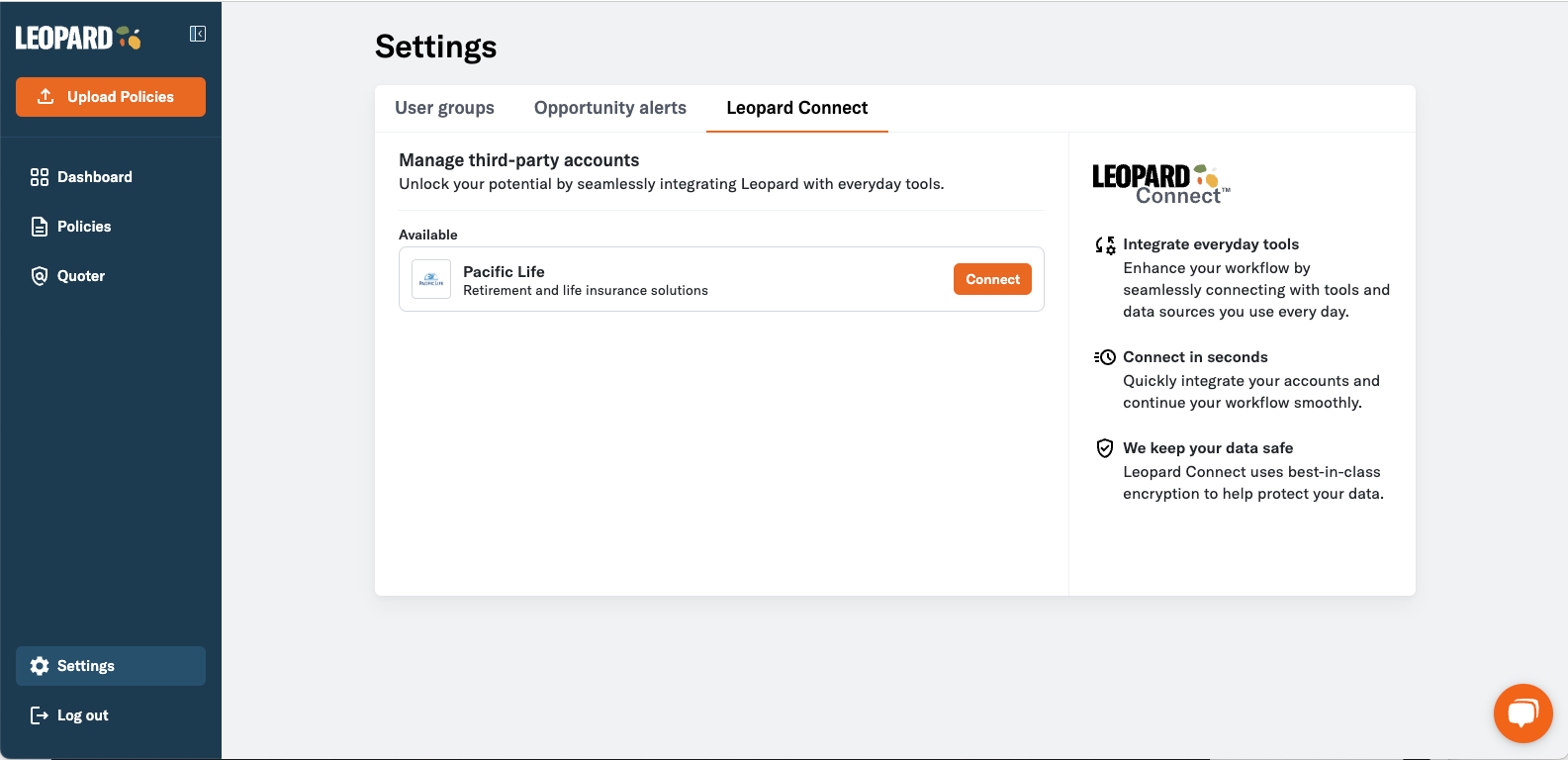
Previously, you had to manually upload policy PDFs to start mining for opportunities. Leopard Connect lets you connect directly to carrier portals and automatically retrieve copies of policies you’ve placed, beginning with PacLife.
Key benefits
- Automatically retrieve copies of policies from Pacific Life (more carriers to come!)
- Once policies are retrieved, Leopard will instantly start evaluating them for opportunities, making Leopard a truly one-click solution
How it works
- Log in to Leopard
- Click on Settings in the sidebar
- Select Leopard Connect
- Click the Connect button next to Pacific Life
- Click Continue to acknowledge the terms of service and privacy policy
- Enter your Pacific Life carrier portal Username and Password (rest assured, your data is encrypted and fully protected)
- Leopard will automatically begin pulling policies from Pacific Life into Leopard for monitoring and evaluation
- Go to the Policies list to see your newly imported policies and take advantage of newly surfaced revenue opportunities
