What’s new: you can stop manually compiling policy review grids and use the Download as Excel feature instead!
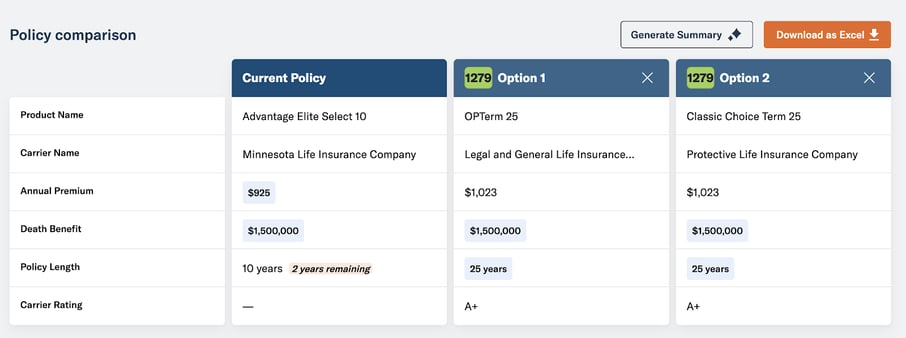
You used to have to take a screenshot of the policy options available for their clients or rely solely on Generate Summary to create an explanation of a client's coverage options. The Export to Excel feature creates a comparison of the insured's existing coverage and selected alternative options.
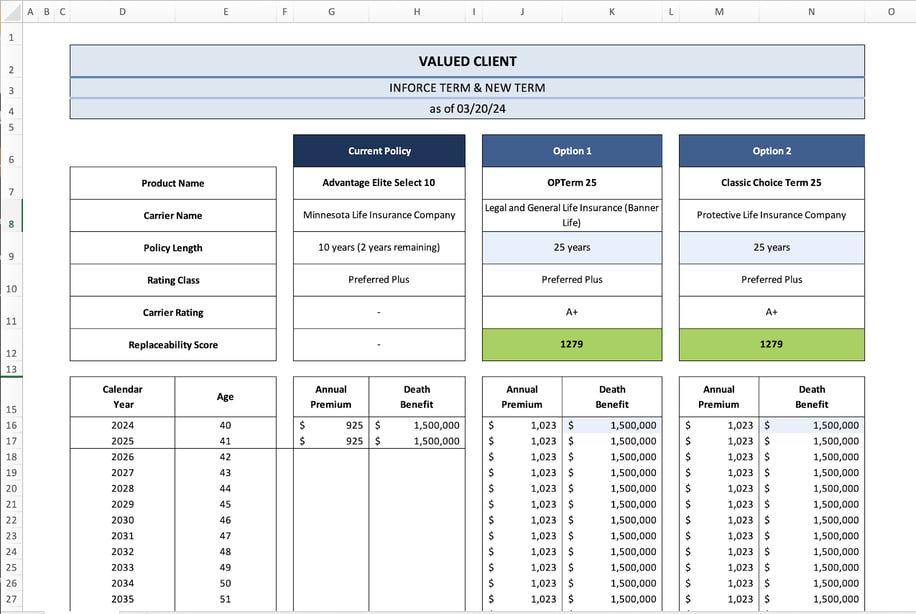
Key benefits
- Avoid manually compiling policy summaries or comparison grids for policy reviews
- Show your clients the premium due and death benefit their current and comparative policies include through each year and age
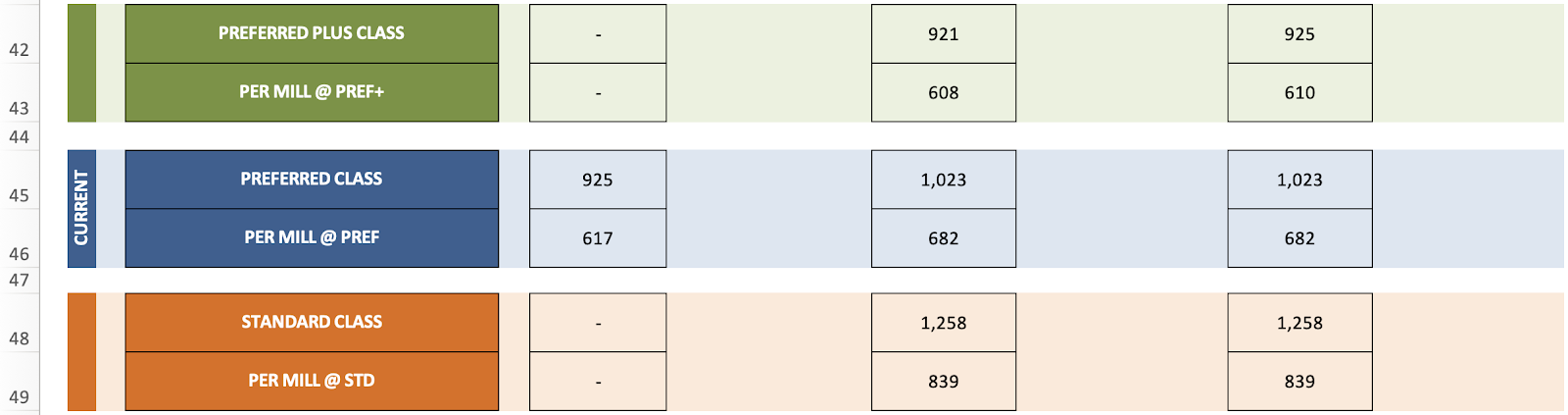
- Premiums for health classes above and below the client's existing coverage are included, so if something about their circumstances have changed they can see what they'd be paying if they switched options
How it Works
- On a Policy Info page, click on the replacement opportunity you’d like to run quotes for
- On the Quoter page, add the quotes you’d like to share with your client to the comparison table
- Click Download as Excel to export the comparison grid
